Stop Copy-Pasting
Your MCP Config Across 5 Different AI IDEs
DevSynq syncs your MCP servers, API keys, and projects across Cursor, Windsurf, VS Code, and more. One config. All your IDEs.
Trusted by builders shipping with AI IDEs
Real usage, open-source traction, and installs from teams who need every IDE in sync.
The AI IDEconfiguration hell
You're using Cursor for React. Windsurf for Python. VS Code for everything else.
Each one needs your 12 MCP servers configured, API keys for Anthropic, OpenAI, Gemini, project associations, and keyboard shortcuts.
That's 4 × 12 = 48 manual configurations.
Before you even write a line of code.
And you do it EVERY TIME you try a new IDE.
Before DevSynq
"We felt that pain. So we built DevSynq."
Everything you need tomaster your AI IDEs
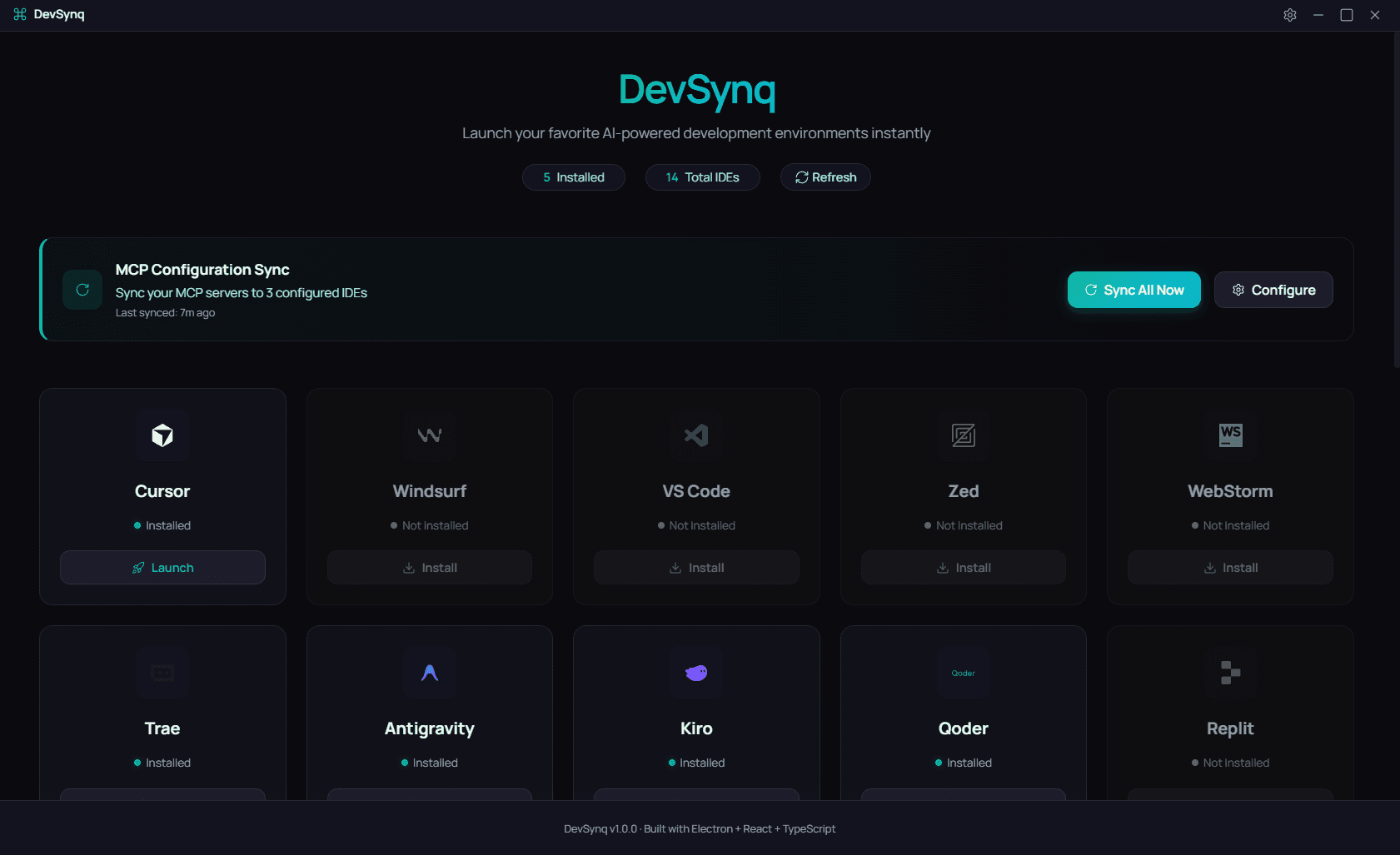
DevSynq is the control center for all your AI-powered development environments. Simple, fast, and just works.
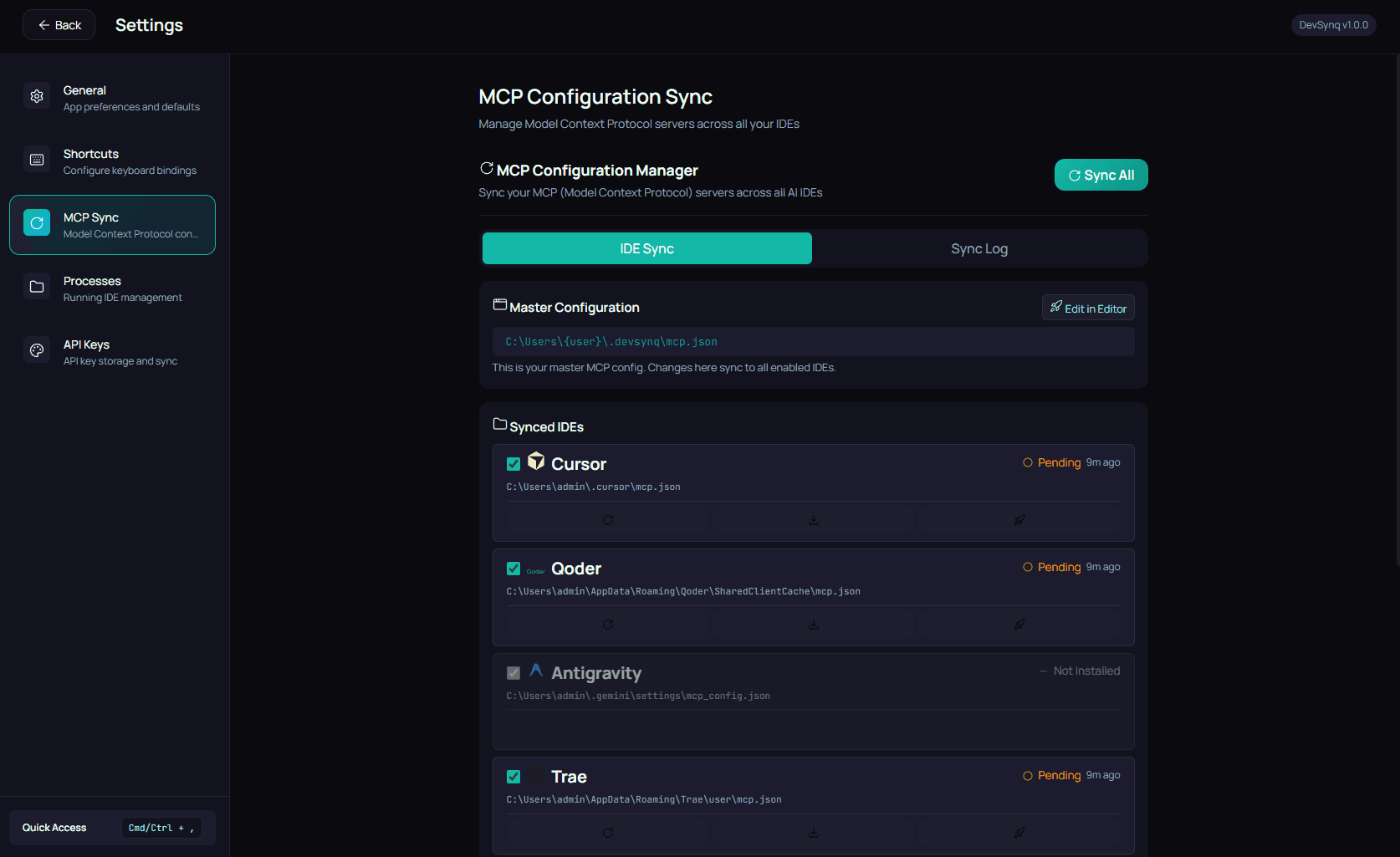
Master MCP Config → All IDEs
Edit your mcp.json once. Click Sync. Every IDE gets updated—or override per-project for specialized setups. The choice is yours.
- Sync to unlimited IDEs
- Per-project custom configs
- Automatic backup on sync
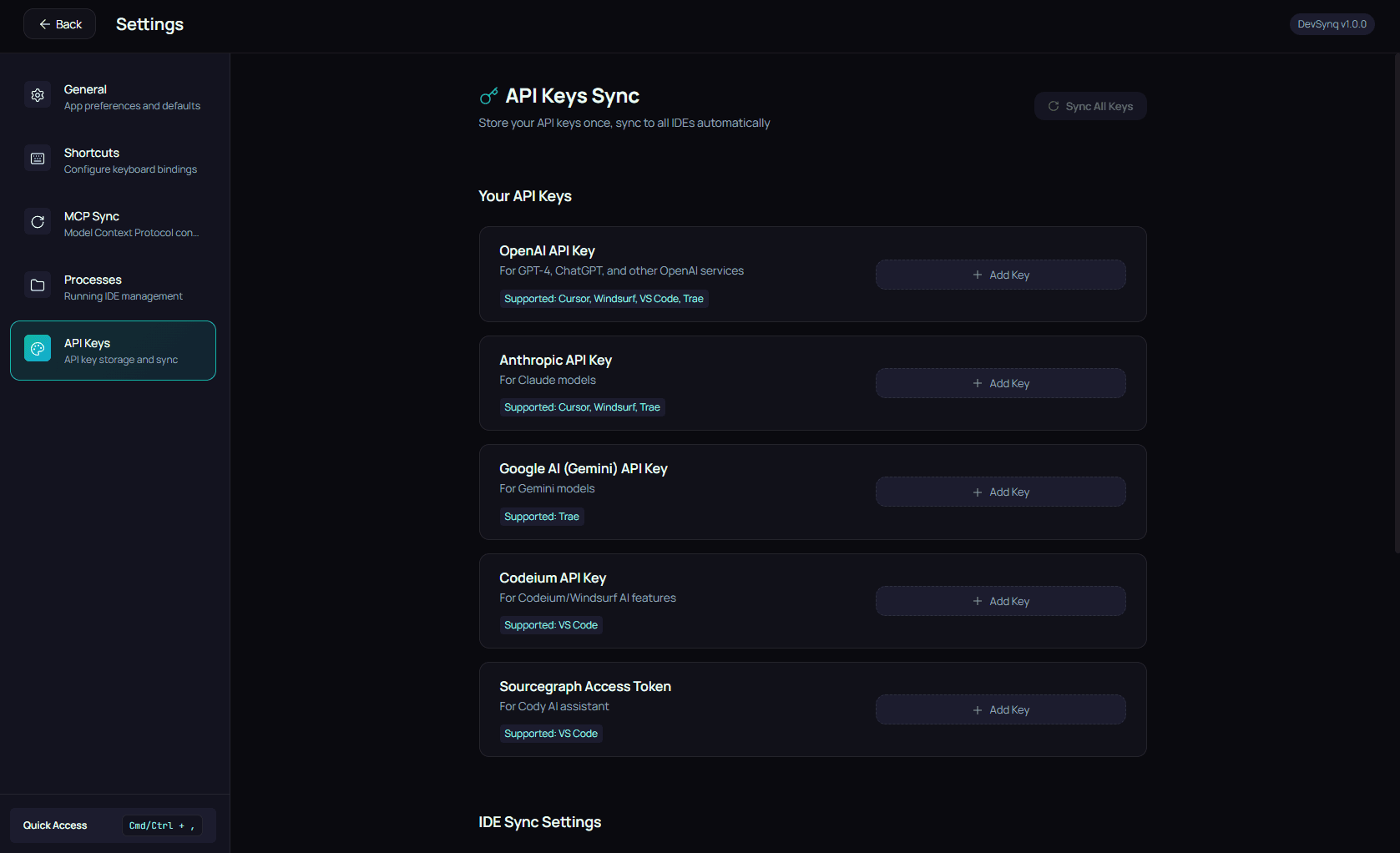
Store API Keys Once
Add your Anthropic, OpenAI, or Gemini keys. DevSynq automatically injects them into each IDE's config. No more copy-pasting keys 5 times.
- Secure local storage
- Auto-inject to configs
- Never leaves your machine
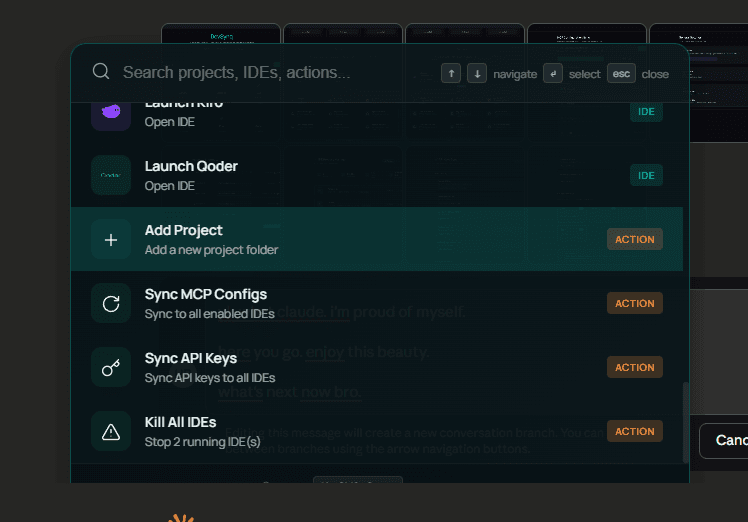
Launch Anything, Instantly
Alt+Shift+Space anywhere on your computer. Type 3 letters. Launch any project in any IDE. Faster than Alt+Tab.
- Global keyboard shortcut
- Fuzzy search projects
- IDE preference per project
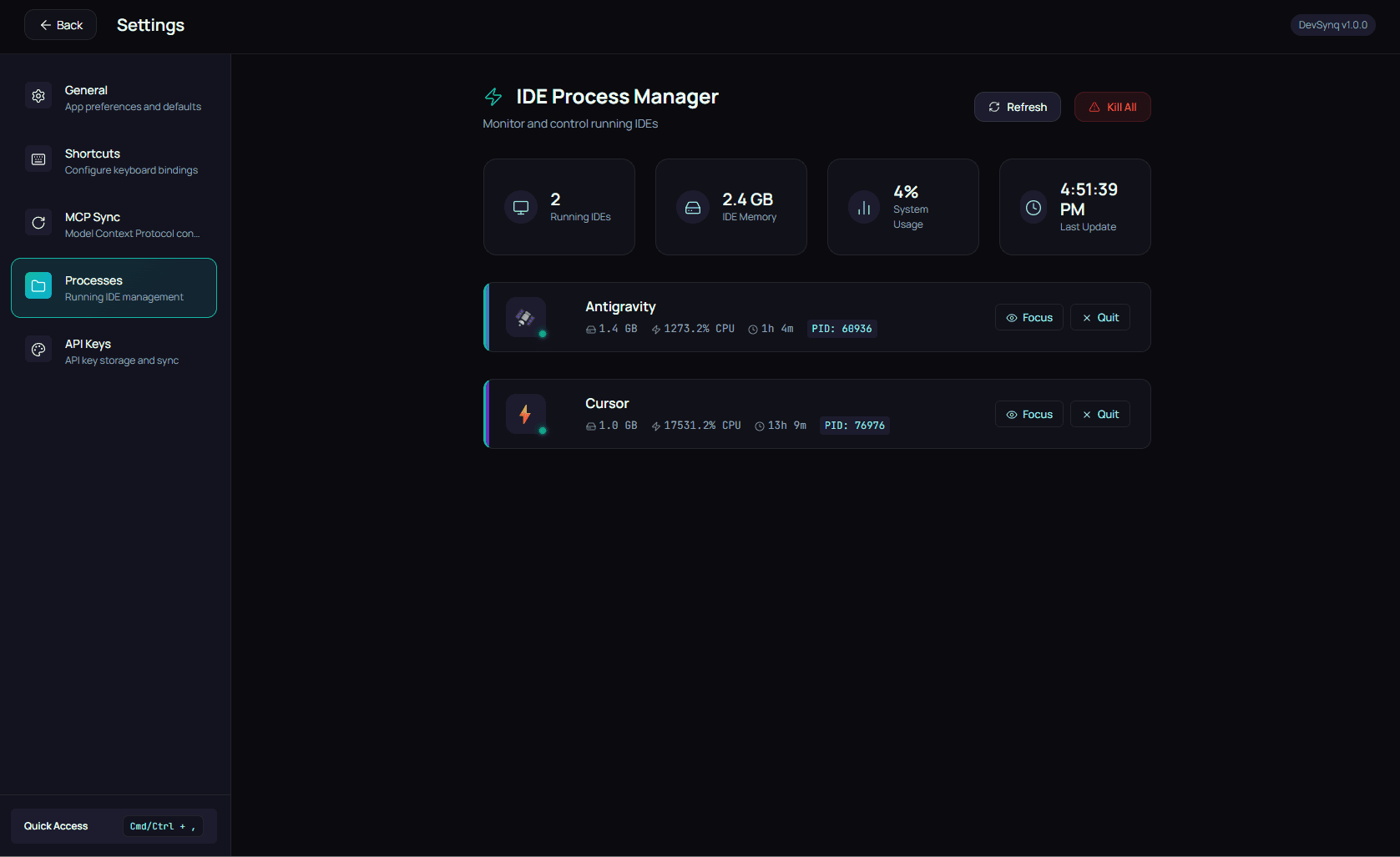
See What's Running
Monitor CPU and memory per IDE. Focus or quit with one click. Kill all when your machine is dying.
- Real-time CPU/Memory stats
- One-click focus or kill
- Batch close all IDEs
Discover & Install Servers
Browse the built-in MCP Marketplace. One-click install for PostgreSQL, Google Drive, Slack, and 100+ other agents. We handle the config.
- Centralized catalog
- One-click installation
- Auto-updates
Enforce Coding Standards
Define global rules for your AI agents. 'Always use TypeScript', 'No console.log'. Syncs to every project automatically.
- Global rule sets
- Project-specific overrides
- Consistent code quality
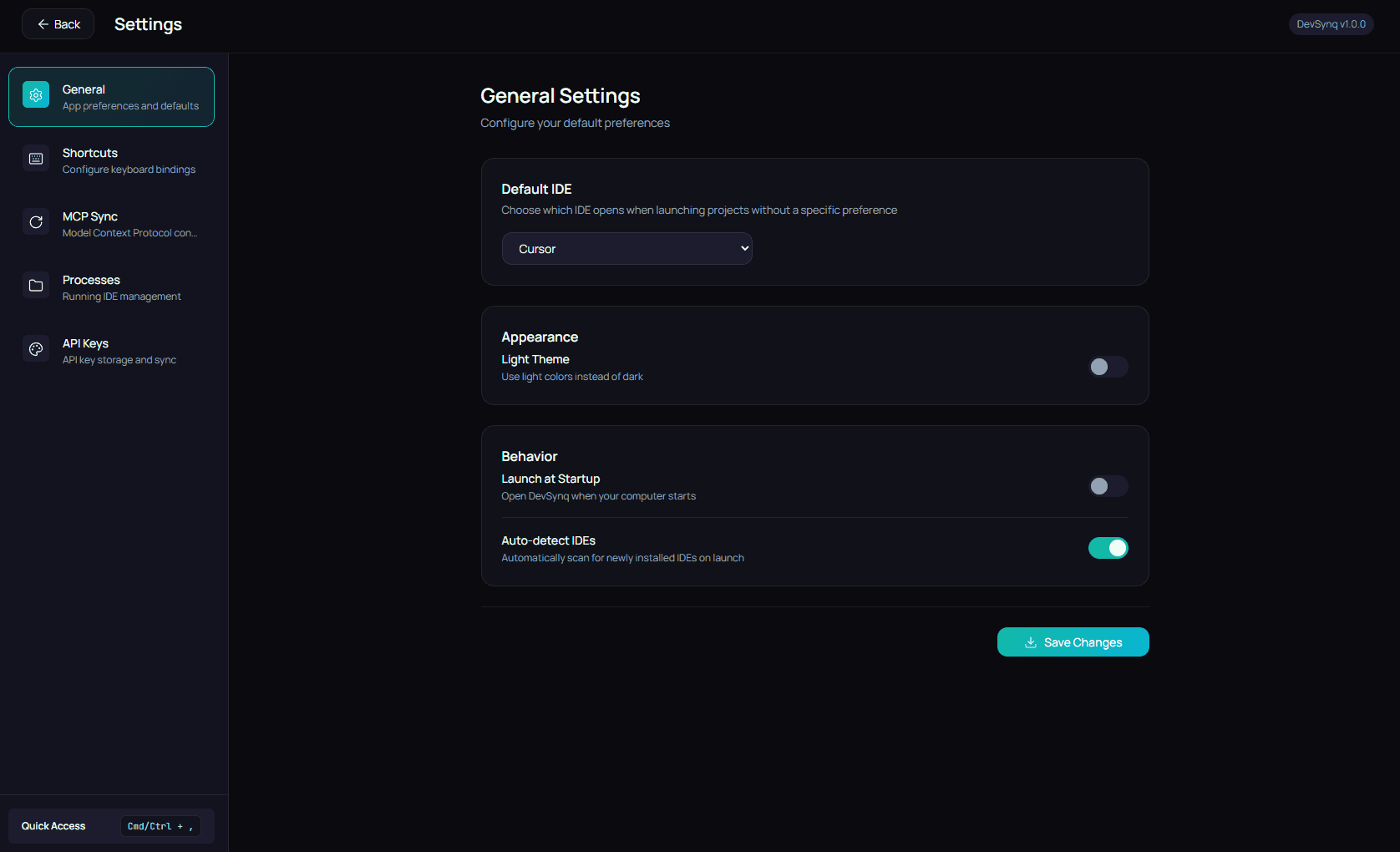
Looks and feels like the desktop app
Home Overview
Landing experience matching the desktop UI
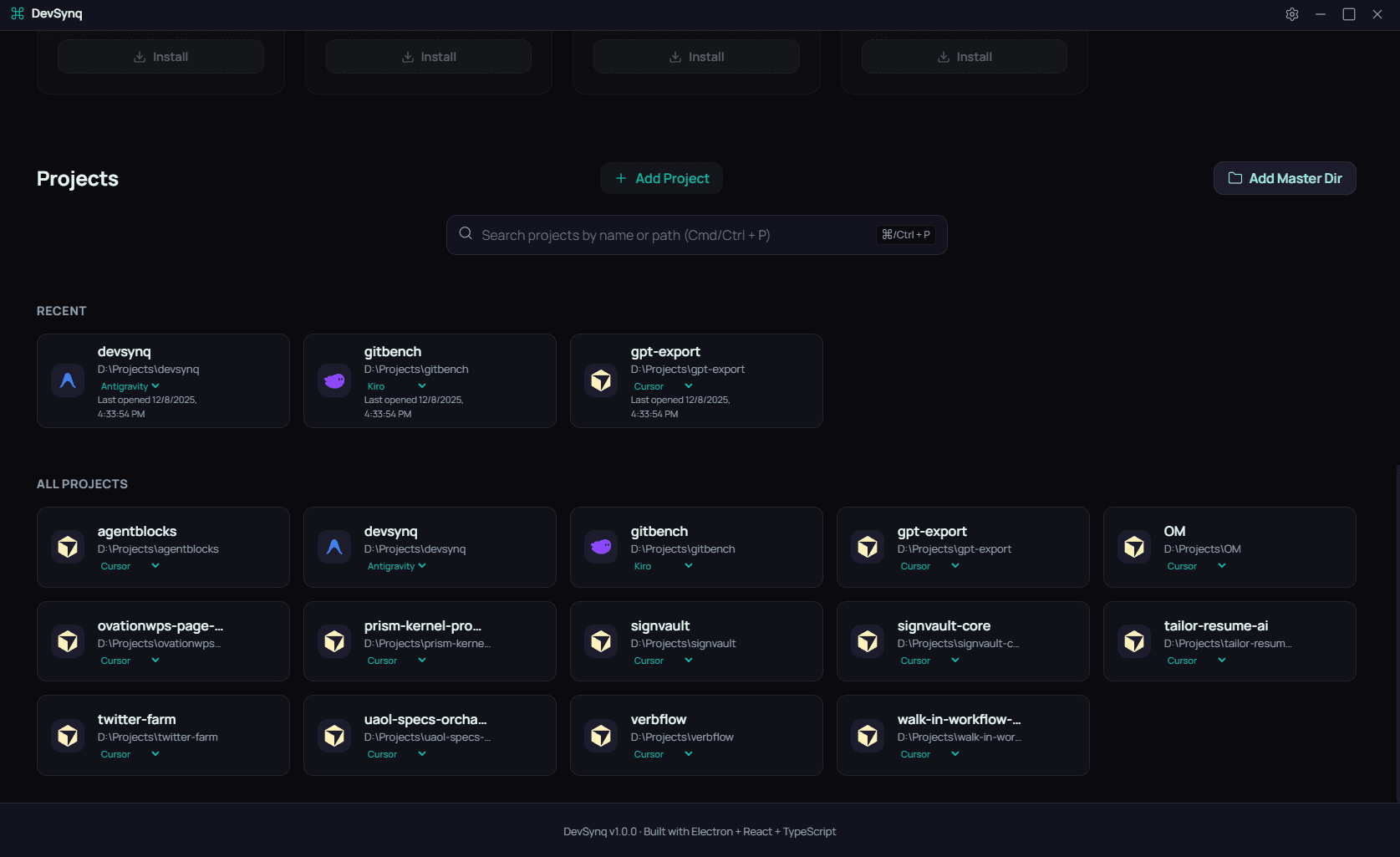
Projects & IDEs
Project list with preferred IDEs
API Keys Sync
Store once, sync everywhere
MCP Configuration
Single source of truth for MCP servers
Command Palette
Launch any project or IDE instantly
Process Manager
Monitor and control running IDEs
Works with your favorite AI IDEs
Native logos, availability, and quick links to download. DevSynq keeps you in sync across every IDE you use.
Cursor
AI-ready workspace
Windsurf
AI-ready workspace
VS Code
AI-ready workspace
Zed
AI-ready workspace
WebStorm
AI-ready workspace
Trae
AI-ready workspace
Antigravity
AI-ready workspace
Kiro
AI-ready workspace
Qoder
AI-ready workspace
Replit
AI-ready workspace
Cody
AI-ready workspace
Continue
AI-ready workspace
IntelliJ IDEA
AI-ready workspace
PyCharm
AI-ready workspace
Don't see your IDE? Request it on GitHub →
Claim your lifetime membership before the seats are gone.
DevSynq syncs your AI coding experience across every IDE. Join the early adopters and lock in forever-free access plus priority support.
Spots claimed
Why join now?
Frequently askedquestions
Short, honest answers to the things people ask us most.
Ask us on GitHub Discussions →